
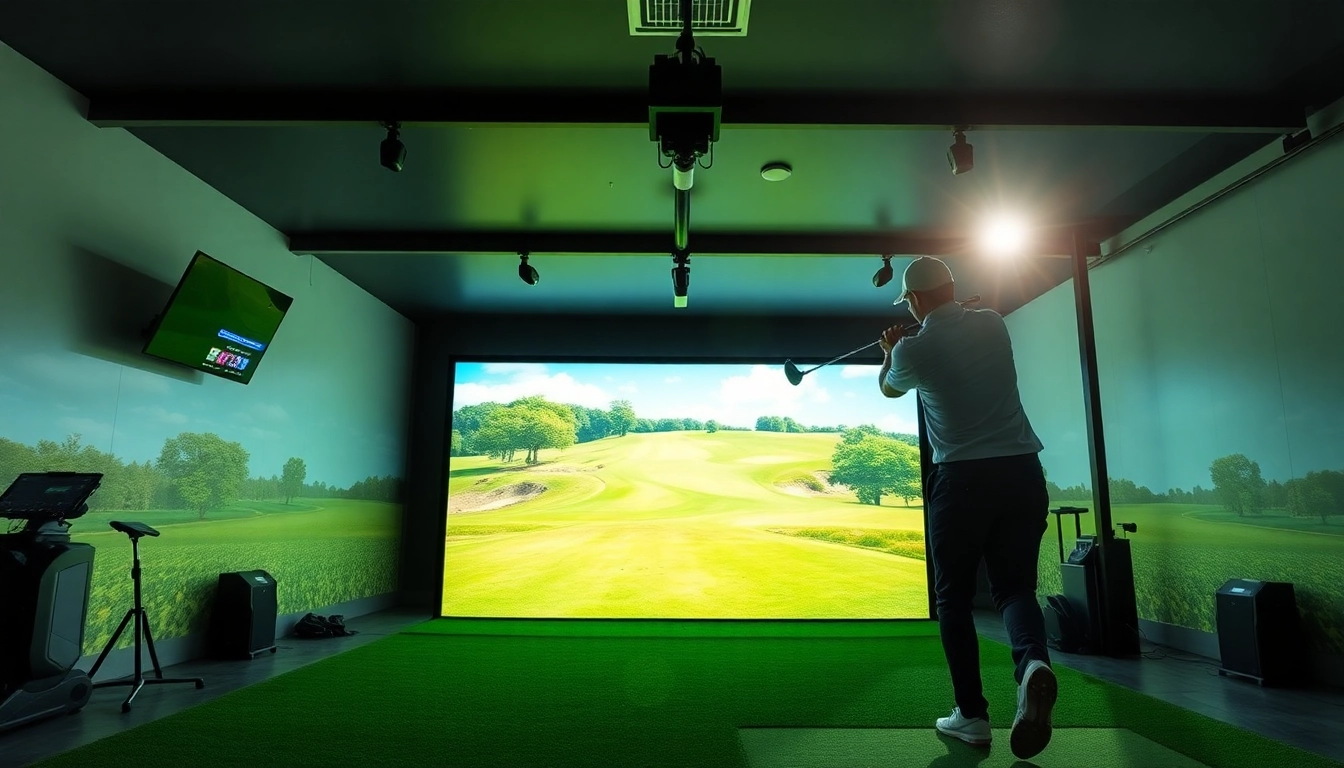
Understanding the Basics of a Simulator
What is a Simulator?
A simulator is a sophisticated device or program designed to replicate real-world scenarios, enabling users to experience activities in a controlled environment. In the context of golf, simulators create a virtual setting that mimics the experience of playing on a real course. This technology uses advanced sensors and software to recreate the physical and environmental aspects of golfing, allowing players to practice without being limited by weather or geographical constraints.
How Does a Simulator Work?
Simulators work by capturing data from a player's golf swing and translating that into digital format. Most modern systems employ high-speed cameras and infrared sensors that track the club's movement, speed, and angle at the moment of impact. This data feeds into complex algorithms that calculate the trajectory of the ball, factoring in variables like wind conditions, slope, and elevation, thereby providing a realistic golfing experience. Additionally, the virtual reality aspect allows players to visualize their ball's path, enhancing the training experience and making it easier to adjust their technique.
Different Types of Golf Simulators
There are several types of golf simulators available on the market today, each offering unique features and capabilities:
- Home Simulators: Designed for personal use, these simulators can fit in a garage or dedicated room. They come with software that simulates different golf courses and practice ranges.
- Integrated Systems: These systems combine hardware and software seamlessly, providing an all-in-one solution for training and entertainment. They usually require more space and installation.
- Portable Simulators: Lightweight and easy to set up, portable simulators can be used almost anywhere. However, they may offer fewer options for course variety and analytics.
- Advanced Training Simulators: These are aimed at serious golfers who wish to analyze their game in detail. They provide comprehensive metrics on every aspect of a golf swing.
Benefits of Using a Simulator
Improved Skill Development
One of the most significant benefits of utilizing a simulator is the potential for skill enhancement. By providing immediate feedback based on performance data, players can identify strengths and weaknesses in their game. Simulators often provide visual representations of a swing, which helps in understanding how modifications affect performance. Whether you're just starting or an advanced player honing your skills, regular practice on a simulator can lead to substantial improvement.
Convenience and Accessibility
Simulators offer unmatched convenience, allowing golfers to practice year-round without worrying about weather or time constraints. Whether it’s a rainy day or the temperature drops, a simulator provides a realistic golfing experience indoors. This accessibility means players can squeeze in practice sessions whenever they have spare moments, promoting consistency in training, which is vital for skill retention and improvement.
Data-Driven Insights for Better Performance
In the era of data analytics, simulators are tools that provide comprehensive insights into every swing. Equipped with advanced technology, simulators can track everything from swing speed to ball spin, informing players on how to make necessary adjustments. This accurate performance tracking offers players a chance to set actionable goals, which is essential for long-term development as it allows for ongoing evaluations and improvements based on concrete metrics.
Choosing the Right Simulator
Features to Look For
When choosing a simulator, various features must be considered to ensure it meets your needs. First and foremost, look for the quality of the graphics—an immersive visual experience enhances realism. Furthermore, consider the variety of available courses and practice modes. Additional metrics offered can significantly impact your training efficiency. Lastly, ensure that the system is user-friendly; a complicated interface can detract from the overall experience.
Price Ranges and Budgeting
Simulators can range from a few hundred to several thousand dollars. Entry-level models, often portable, cater to beginners or recreational golfers, while high-end systems provide extensive metrics and immersive graphics for serious players. When budgeting, consider not only the initial cost but also potential additional expenses such as software updates, maintenance, and necessary hardware accessories. Establish a budget that reflects your commitment to improving your game and choose a simulator that offers the best value within that range.
Space and Layout Considerations
The space required for a simulator can significantly affect your choice. Ideally, aim for a dedicated area with a minimum of 10x10 feet to ensure ample room for swings and movement. If you have limited space, consider portable options that can be set up and taken down easily. When planning your layout, consider the distance from the swing area to the projection screen, any lighting needs, and how many people may use the simulator simultaneously. Adapting your layout to meet these needs will enhance your overall experience.
Setting Up Your Simulator
Installation and Configuration Tips
Proper installation of a simulator is crucial for optimal performance. Begin by carefully following the manufacturer's instructions, ensuring to set up sensors at the recommended heights and angles. If utilizing a projector, focus on achieving a high-quality image without any disturbances from ambient light. Once set up, use test runs to fine-tune the configurations, adjusting based on the initial performance metrics and ensuring everything works as intended.
Essential Accessories to Enhance Experience
Consider indispensable accessories that can augment your simulator setup. Golf mats that simulate real turf can enhance the feel of your shots. Additionally, consider a quality projector for a more immersive experience and a high-definition screen to ensure clear visuals. Accessories like swing analyzers can also provide additional insights that standard simulators may not offer, further enriching your practice sessions. Implementing such tools can make a significant difference in practice realism and effectiveness.
Best Practices for Maintenance
Maintenance practices are essential to keep your simulator running smoothly. Regularly check and calibrate sensors to ensure accuracy. Keep the lenses of projectors clean and check for software updates that can enhance functionality and accuracy. Ensure your space is clean and well-lit to prevent wear and tear on equipment. Following these practices will prolong the life of your simulator, ensuring it remains a valuable asset in your training regimen.
Frequently Asked Questions
What technology powers a simulator?
A simulator typically uses high-speed cameras and sensors to capture and analyze a golfer's swing, translating it into a virtual experience.
Can I use a simulator for training?
Yes, simulators provide valuable data and feedback that can aid in skill improvement during training sessions.
How much space do I need for a simulator?
Generally, a minimum of 10x10 feet is recommended, but the size may vary based on the chosen simulator model.
Are simulators suitable for all skill levels?
Absolutely! Simulators can benefit beginners and advanced players alike by providing tailored experiences for each level.
What brands offer quality simulators?
While many brands exist, it’s essential to research models based on individual needs, reviews, and technology advancements.
Contact Information
Call Us: +1 615-624-7821Email: [email protected]Address: 1276 Northwest Broad Street, Murfreesboro, TN, USA